AI Receptionist for Cliniko Practices — Voice AI for Australian Allied Health (2026)
Quick Answer
Aussie AI Agency gives Cliniko practices a done-for-you AI voice receptionist, Steve, that answers every call 24/7, captures new-patient details and booking requests, and sends them to your team by SMS and email. It's from $149/month, month-to-month, and live within 3 business days. We don't have a built, native Cliniko integration today — our built integration is Google Calendar — so we connect Steve to your systems as part of setup and confirm how bookings reach Cliniko on your free demo.
What Steve handles on the phone for a Cliniko practice:
- 24/7 call answering — during sessions, lunch breaks and after hours
- New patient intake — name, contact details, what they need and when
- Practitioner preference — “I'd like to see Sarah again” is captured and passed on
- Service type questions — initial consult vs follow-up vs treatment, so your team books the right slot
- Cancellations and reschedules — captured and sent to your team straight away
- Multi-disciplinary routing — physio, OT, psych and podiatry enquiries sorted by discipline
- Multi-location practices — Steve asks which clinic suits the caller
Why allied health practices look at Steve:
- Scripted with AHPRA advertising rules in mind — no testimonials, no clinical claims, no clinical advice
- NDIS-aware intake questions where relevant
- Handled under the Privacy Act 1988 (Cth) and the Australian Privacy Principles, encrypted in transit and at rest
- Done for you: we build it, tune it on your real calls for up to 2 weeks, and after that our team checks its calls and trains it every day
Pricing: from $149/month ex GST (Starter, 100 voice minutes + 50 SMS). Business $299, Growth $499, Enterprise from $1,299. Month-to-month on every plan. Book a free 30-minute demo with Niel — no obligation.
Important context: Cliniko's connected apps directory lists AI phone tools, some of which advertise direct Cliniko booking. If a built, real-time Cliniko booking integration is a must-have for you today, check cliniko.com/connected-apps.
No obligation · Niel calls you to book a time
We confirm your Cliniko setup on the demo.
Hear it handle real calls, then get one built for your business
Press play to hear our AI receptionist on real calls. Then tell us about your business and we'll build a free demo receptionist that answers in your business name.
Prefer a person? Speak to a human: 0417 460 236 or hear our AI now: Call Steve (AI): 03 4328 3434
Don’t take our word for it. Press play.
Press play to hear a real call · call 1 of 6
A hospital discharge referral
Disability care · new referral · 0:00 / 1:45
Listen for: the caller doesn't want to share confidential details, and it handles that gracefully.
Real recordings with real callers, shared with permission by businesses we've built AI receptionists for. Some of these businesses are connected to the people behind Aussie AI Agency. To protect privacy, we've deliberately cut out names, phone numbers, emails and business names, and trimmed the calls for length.
How Steve works alongside Cliniko
Steve answers your calls and captures what your team needs; Cliniko stays your system of record. We don't claim a built, native Cliniko integration — Google Calendar is the integration we've built. We connect Steve to your systems as part of setup, and on your free demo we confirm exactly how booking requests will reach Cliniko for your practice.
What happens on a typical new-patient call
- A patient calls your practice number.
- Steve answers: “Thanks for calling [Practice], this is Steve…”
- He asks what they need (e.g. a physio appointment), whether it's a new issue or ongoing treatment, and any practitioner or location preference.
- He captures name, mobile, email and preferred times.
- Your team gets an SMS and email summary straight away, ready to action in Cliniko.
- The caller is told what happens next, so nobody hangs up wondering.
What Steve does NOT do
- Read or write clinical or treatment notes
- Diagnose or make clinical decisions
- Give medical advice during phone calls
- Override your practice's booking rules
What Cliniko practices use Steve for
1. Calls during sessions and after hours
The most common pain for Cliniko practices: the phone rings while practitioners are with patients, and after-hours calls go to voicemail. Steve answers every call, captures the request and gets it to your team, so fewer callers ring the next clinic on Google. See our after-hours answering service page for how evening and weekend cover works.
2. Multi-practitioner practices
When a caller asks for a specific practitioner, Steve captures that preference so your team books them with the right person.
3. Multi-disciplinary clinics
- “I need a physio” → captured as a physio request
- “I'm looking for occupational therapy” → captured as an OT request
- “Counselling sessions” → handled with appropriate sensitivity and passed to psychology
- “What services do you offer?” → Steve explains the services you've given him
4. NDIS participants
Steve can ask the intake questions your team needs, such as plan management type (self-managed, plan-managed or agency-managed) and support coordinator details, and pass them on with the booking request.
5. Multi-location practices
“Which clinic would you like — Bondi, Newtown or Parramatta?” Steve captures the location and routes the request to the right team.
6. Reminders and recalls
SMS notifications are included on every plan. Outbound calling — for example, calling patients who are due for a recall — is only available on the Enterprise plan.
7. Group classes
For hydrotherapy, exercise physiology classes or group programs, Steve captures which class the caller wants and passes it to your team to confirm.
How Steve is set up by allied health specialty
Cliniko is used across allied health. Steve's script is built around your specialty:
1. Physiotherapy practices
- Initial consultation vs follow-up questions
- Treatment plan context for the practitioner
- Hydrotherapy class enquiries
- WorkCover/CTP claim details captured at intake
- DVA cardholder identification
See our physiotherapy clinics page.
2. Occupational therapy practices
- NDIS plan management type capture
- Home visit requests
- Equipment assessment enquiries
- Paediatric vs adult OT routing
See our occupational therapists page.
3. Psychology practices
- Crisis line information (Lifeline 13 11 14, Beyond Blue 1300 22 4636, Suicide Call Back Service 1300 659 467) offered if a caller is in distress
- Sensitive intake handling
- Bulk billing vs gap fee questions
- Mental Health Care Plan questions
- Telehealth vs in-person preference
See our psychologists page.
4. Chiropractic, podiatry and osteopathy
- Initial assessment vs follow-up questions
- Podiatry: general vs diabetes assessment vs nail surgery routing; DVA eligibility and Chronic Disease Management Plan referral questions
- Practitioner and technique preferences captured
See our podiatrists page.
5. Speech pathology, exercise physiology and massage
- Adult vs paediatric routing
- Initial assessment vs ongoing program
- Group class enquiries
- Health fund rebate questions
Aussie AI Agency vs other Cliniko AI receptionist options
Transparency: Cliniko's connected apps directory (cliniko.com/connected-apps) lists several AI phone tools. We're one option among several, and we'd rather you choose well than choose us by mistake.
Where we fit well
- Done for you. We build, test and tune Steve on your real calls — you don't configure anything yourself.
- AHPRA-aware scripting. Steve is set up to avoid testimonials, clinical claims and clinical advice.
- Multi-disciplinary practices. One Steve can handle physio, OT, psych and podiatry enquiries.
- Month-to-month pricing from $149/month.
Where alternatives might fit better
- If you need a built, real-time Cliniko booking integration on day one → look at the tools in Cliniko's connected apps directory that advertise one
- If you want a self-serve tool you configure yourself → consider TransferToAI (see TransferToAI vs AAA comparison)
- If you want hybrid AI + human backup → consider Smith.ai (see our Best AI Receptionist Australia 2026 listicle)
Decision framework
If you're a Cliniko user:
- Press play on the real calls near the top of this page
- Book a free 30-minute demo with Niel (no obligation)
- Ask us exactly how booking requests will reach Cliniko for your practice
- Compare that with other Cliniko-listed options
How quickly can a Cliniko practice be live?
Live within 3 business days, then up to 2 weeks of fine-tuning on your real calls, with ongoing improvement after that.
- Free 30-minute demo with Niel — we walk through your practitioners, services, hours and how your team uses Cliniko, and confirm how booking requests will reach it. Setup is a one-off fee shown on our pricing page.
- Build (within 3 business days) — we write Steve's script, set your greeting and compliance guardrails, connect him to your systems and set up call forwarding.
- Go live — calls your team can't take forward to Steve; summaries land by SMS and email.
- Up to 2 weeks of fine-tuning — we review real calls and adjust the script and escalation rules.
- Ongoing — we keep improving Steve with you.
A note on this page
This page is published by Aussie AI Agency. We sell AI receptionist services, including to allied health practices that use Cliniko.
Integration status, plainly: Google Calendar is the integration we have built. We don't claim a native or real-time Cliniko integration. We connect Steve to your systems as part of setup and confirm your practice software on the demo.
Sources: Cliniko's public documentation and connected apps directory (cliniko.com/connected-apps).
For industry-specific pages, see physiotherapy, occupational therapy, psychology and podiatry. See also our AHPRA compliance hub.
If you spot a factual error, email niel@aussieaiagency.com.au.
Common questions about Steve for Cliniko practices
Quick Facts: AI Receptionist for Cliniko Practices
- What it is:
- Done-for-you AI voice receptionist (Steve) that answers calls 24/7 and sends summaries by SMS and email
- Cliniko integration:
- No built native integration — connected to your systems as part of setup; confirmed on your demo
- Built integration:
- Google Calendar
- Clinical notes:
- Not accessed — Steve never gives clinical advice
- Setup time:
- Live within 3 business days, then up to 2 weeks of fine-tuning
- Pricing:
- Starter $149, Business $299, Growth $499, Enterprise from $1,299 per month ex GST — month-to-month
- Extra minutes:
- $0.85 / $0.65 / $0.45 / $0.29 per minute by plan, capped at the gap to the next plan
- Outbound calling:
- Enterprise plan only
- Demo:
- Free 30-minute demo with Niel, no obligation
- Author:
- Niel Bennet, Founder of Aussie AI Agency
Sources: Cliniko public documentation and connected apps directory; Aussie AI Agency published pricing, 2026.
Hear Steve, then book your demo
If you're a Cliniko practice in allied health: hear Steve on the real calls near the top of this page, then book a free 30-minute demo with Niel. We'll confirm how Steve connects to your Cliniko setup before you commit.
We're one of several options for Cliniko practices. Compare before you choose.
Free 30-minute demo with Niel · No obligation · Niel calls you to book a time
Free, no obligation.
After every call, the message is in your pocket
Seconds after a call ends you get a text and an email: who rang, what they want, how urgent it is and when to ring them back. Urgent calls can come straight through to you.
- No more listening to voicemails
- Every caller's name, number and reason
- Call back the right people first
Text message · just now
Email · call summary
- Caller
- Steve
- Wants
- Quote, Somerset 17
- Call back
- Today, 4pm
- Urgency
- Normal
Example based on the caravan call above.
Manage every call from your dashboard
Every call lands in your own dashboard: who rang, what they need and what to do next. Tap Done, assign it to someone or add a note. Add as many staff as you like, there’s no limit.
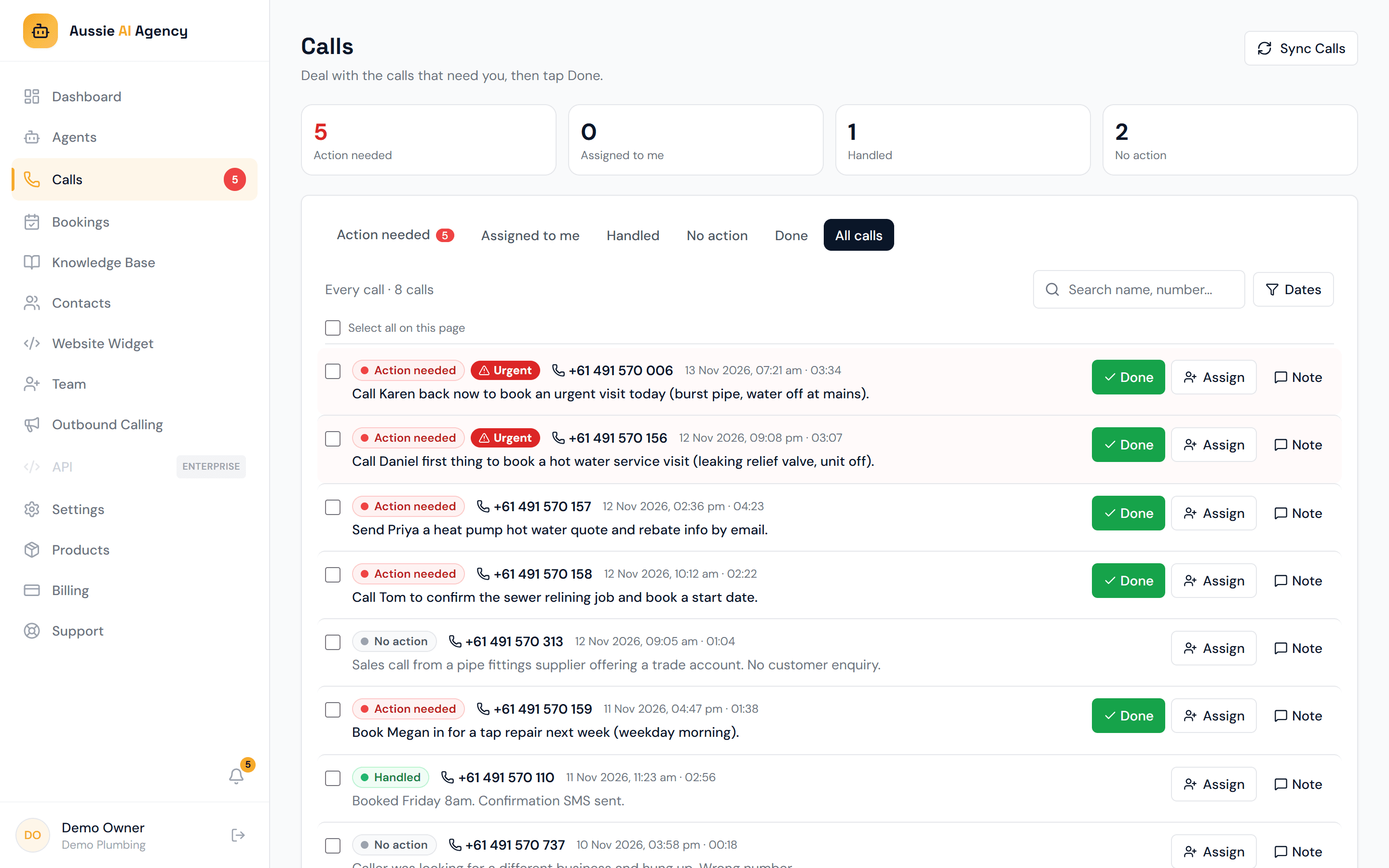
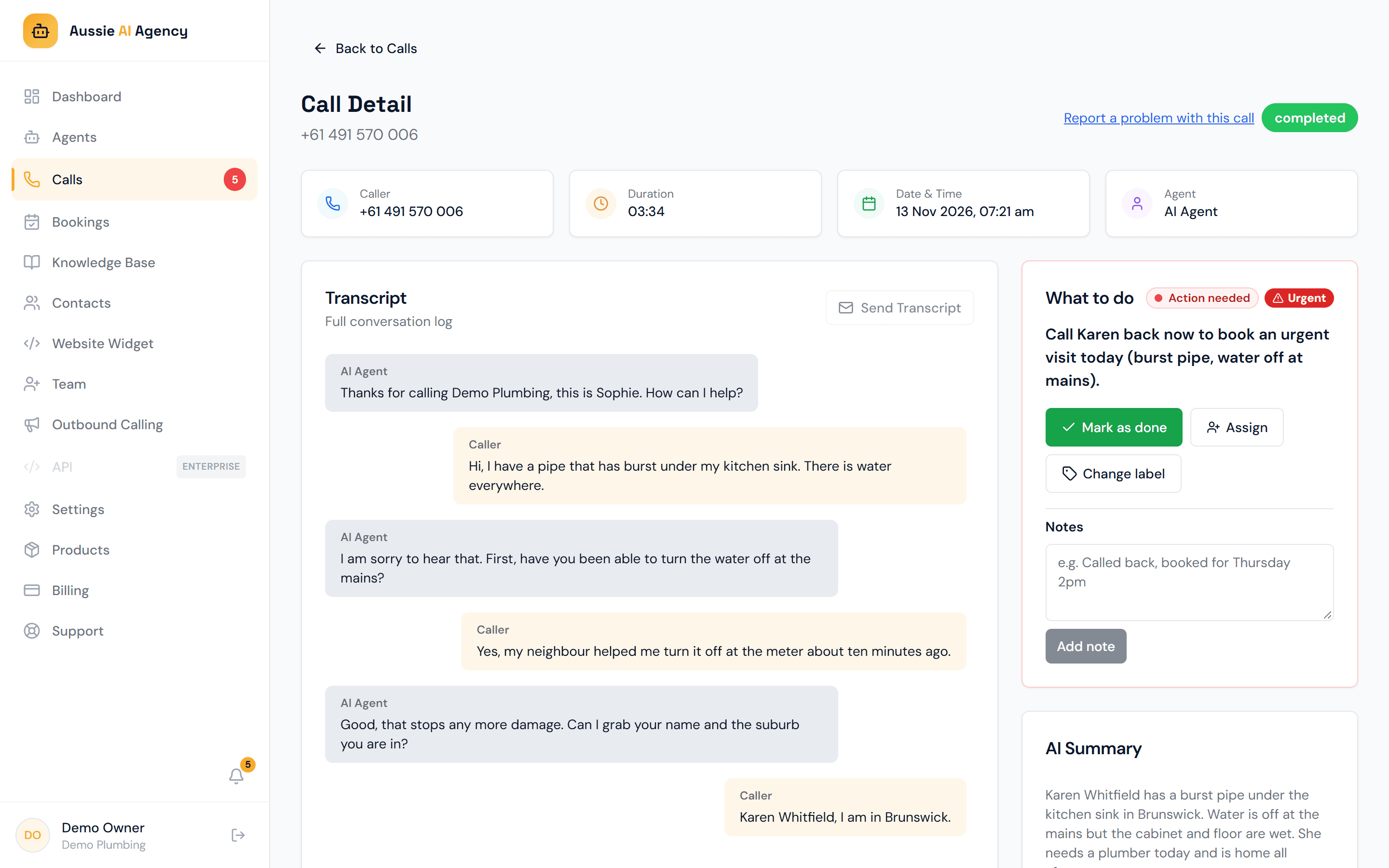
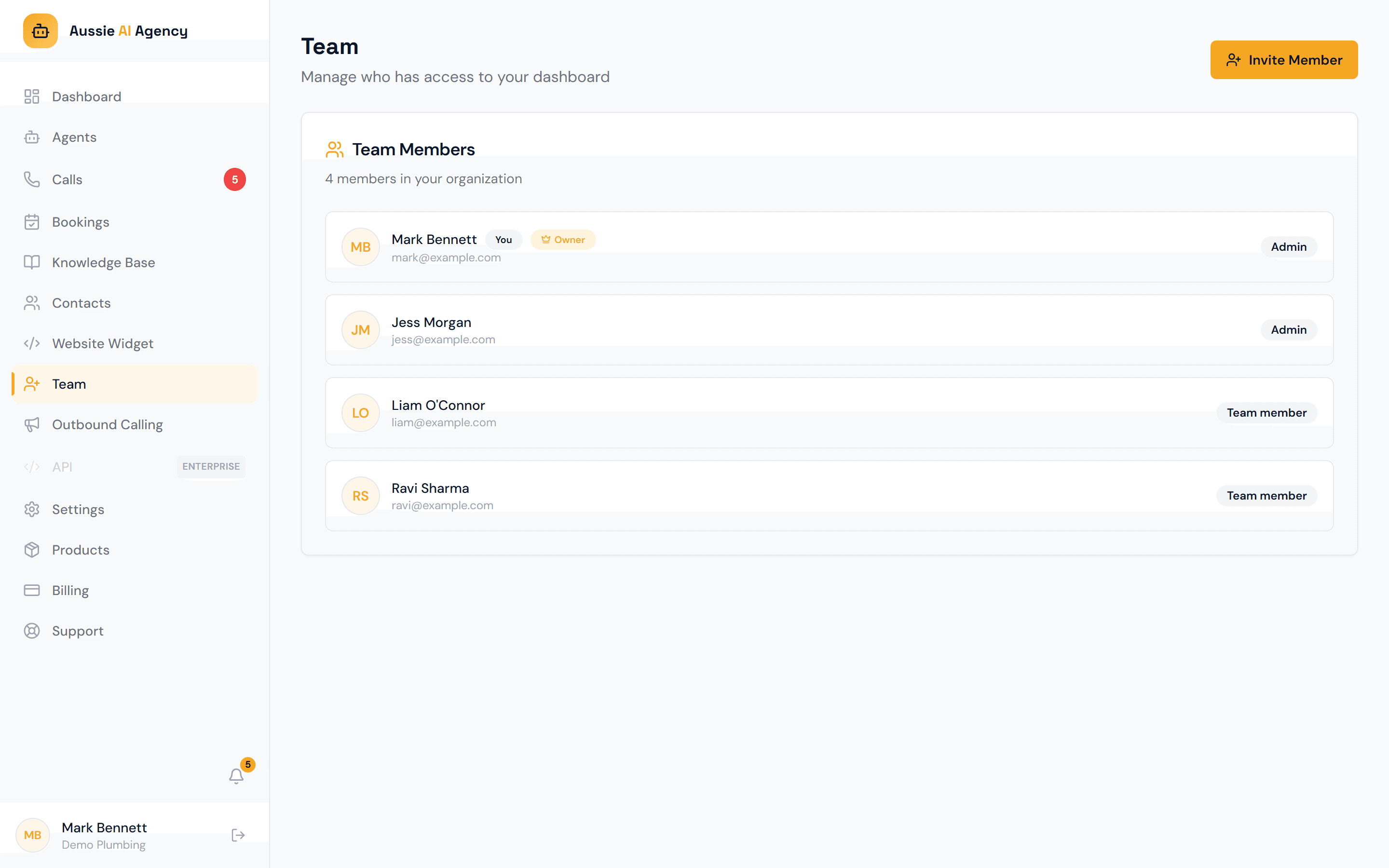
Example dashboard with sample data.
Real customer
Hear it from a plumber who uses it
He’s on the tools all day, so his AI receptionist answers the calls he can’t. Here’s what he thinks, in his own words.
Get my free demo